К содержимому
learnspaceYOUR NEXT CHAPTER
ПРОСТРАНСТВО ОБУЧЕНИЯ
ГлавнаяКаталог курсовМоё обучениеCoursera

Знания без границ

Учитесь у лучших университетов и компаний мира.

Открыть Coursera
Интеграция
Пространство университета
Моё пространствоСтраница курса
↵
ЯЛичный кабинетСтудент
© 2026 LearnSpaceКаждый день — возможность узнать больше.Помощь
Adobe Premiere Pro for Beginners: Quickstart Video-Editing · LearnSpace
Назад в каталог
courseraЛичное развитие

Adobe Premiere Pro for Beginners: Quickstart Video-Editing

Курс от Coursera
Начальный≈ 2.7 чАнглийский
О курсеНавыкиПрограммаПреподаватели

О курсе

**Enroll in this Guided Project before April 2026, for a free 1-month trial to the Creative Cloud Pro Plan!** Are you ready to take your creative skills to the next level? Do you want to learn how to tell stories that captivate audiences and leave a lasting impression? In this comprehensive Premiere Pro guided project, you'll gain hands-on experience working on a real client project, learning the essential skills to edit and enhance video content like a pro! In today's digital age, video content is more important than ever. By learning video editing, you'll be able to: Enhance your personal brand and online presence, Create engaging content for social media, websites, or blogs. Tell stories that resonate with your audience and leave a lasting impression. Stand out in a competitive market and showcase your creative skills Take the First Step Towards Your Creative Dreams: Enroll in this comprehensive Premiere Pro course today and unlock your creative potential! By the end of this course, you'll be equipped with the skills and knowledge to produce stunning video content that showcases your creativity and leaves a lasting impression.

Навыки, которые вы освоите

Video EditingAdobe PremiereVisual StorytellingTimelinesCreativityStorytellingAdobe Creative CloudPhoto/Video Production and TechnologyEditingContent CreationPost-ProductionVideo ProductionColor Matching

Программа курса

1 модулей · 13 учебных материалов

01Project Overview13 материалов

Your Learning Journey

Project OverviewЧтение1 Month Adobe Trial OfferЧтениеReferences, Resources & FilesЧтениеTask 1 -Create a new sequence and set up your first timeline to start editing Видео

Учитесь у экспертов

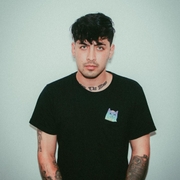
David Bautista

Преподаватель курса

Adobe Premiere Pro for Beginners: Quickstart Video-Editing
В каталоге вашей программы

Инвестируйте в себя

Новые знания — в удобное для вас время.

Начать на Coursera

Обучение откроется на Coursera
в новой вкладке

Обучение на Coursera

≈ 2.7 ч

1 модулей

Язык: Английский

Часть программы вашего университета
Task 2 Import, Manage media. Trim and assemble the edit and create slow motion effectВидео
Task 3 Cut out unwanted parts, Add transitions and Apply EffectsВидео
Practice Task - Create a short summer Fun video edit with stock footageВидео
Task 4 Import sound fx and work on sound design Видео
Task 5 Apply Color correction, color grading and export your first video!Видео
Cumulative Task Create your own edit version of the video!Видео
Key TakeawaysЧтение
Assess Your KnowledgeЗадание
Course End Survey - We appreciate your feedback!PLUGIN